Course details at a glance
Duration
3 Months
Fee
Rs. 7,000
Category
Computer and Office Skills
Instructor
Sanju Khanal
Academy location
Srijana Chowk, Pokhara, Nepal
Current schedule
Contact the academy for current batch timings and availability.
Check fit before you enroll
Review the published course information, then ask the academy to confirm current timing, faculty, and availability before enrollment.
Read what the course covers and check that it matches your goal.
Ask whether your current level is suitable for the class.
Contact the academy for current timings and availability.
Ask what preparation or materials are recommended before class.
Pokhara-based course support
Students and parents can check location, fee, timing, support, and course fit before enrollment.
Location
Srijana Chowk, Pokhara, Nepal
Phone
061-572599
contact@goldeneye.edu.np
Plan your visit
Call or message before visiting to discuss the course and current timings.
See the details that matter to you
About this course
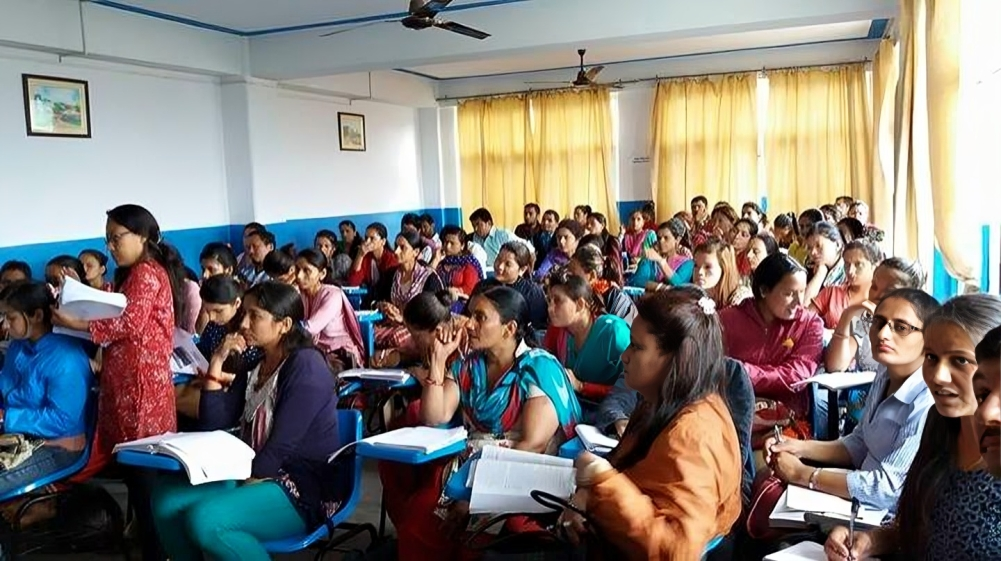
Master essential digital operations and workplace office automation with the basic computer course in Pokhara at Golden Eye Academy , Srijana Chowk. Designed for absolute beginners, job seekers, administrative assistants and front desk operators. This comprehensive program combines fundamental computer literacy with advanced MS Office course productivity tools. Guided by certified IT instructors, students gain hands-on computer training covering Windows OS file management, Typeshala touch typing, MS Word document formatting, MS Excel financial logic, MS PowerPoint presentations and corporate email workflows.
What you will practise
7 learning areas are shown below.
Before you join
Contact the academy for current batch timings and availability.
Total fee
Rs. 7,000
Duration
3 Months
Current schedule
Contact the academy for current batch timings and availability.
Academy location
Srijana Chowk, Pokhara, Nepal
Instructor
Sanju Khanal
Learning progress
Progress depends on the learner’s starting point, attendance, practice and continued effort. Ask the academy how progress can be discussed for this course.
What you’ll learn
The main topics and activities covered in this course.
Learning area 1
Computer and OS Fundamentals
Learning area 2
Typeshala Typing
Learning area 3
Web and Corporate Email
Learning area 4
MS Excel Financial Logic
Learning area 5
Automated Office Billing
Learning area 6
PowerPoint Presentations
Learning area 7
Workplace Certification
Ask about current batch timings
Questions before joining this course
Want to check if Corporate Office and Admin Package fits you?
Tell us your goal, current level and preferred time to study. We will explain whether this course may be a suitable next step.